





















































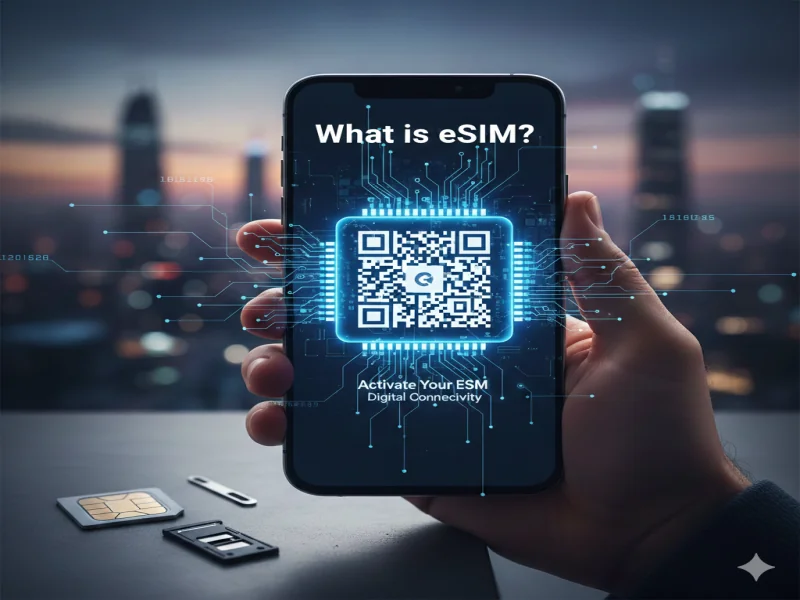
eSIM: The Future of Mobile Connectivity
Remember the days of hunting for a paperclip or a tiny SIM tool just to swap your phone service? Or the mini panic of dropping that tiny plastic card into the carpet? Those days are fading fast. Enter the eSIM—the digital evolution of the SIM card that’s transforming how we connect to mobile networks.
What Exactly is an eSIM?
The “e” in eSIM stands for embedded. Unlike traditional SIM cards that you physically insert into a tray, an eSIM is a tiny chip built directly into your device’s motherboard.
It performs the same essential function as a physical SIM: it identifies your device to the network so you can make calls, send texts, and use mobile data. The difference? It’s reprogrammable. No more swapping hardware to change your carrier—you just download a new digital profile.
Why Switch to eSIM? The Top Benefits
The shift to eSIM isn’t just about saving space for manufacturers—it offers some real perks for users:
1. Instant Connectivity
Buy a plan online and activate it almost instantly via a QR code or an app. No waiting for a starter pack in the mail.
2. Multiple Profiles on One Device
Most eSIM-compatible phones let you store several “SIMs” at once. Keep your work and personal numbers on the same phone and switch between them easily in settings.
3. Travel Made Easy
Heading abroad? Skip the airport kiosks and huge roaming fees. Download a local data plan before you land and stay connected from the moment you arrive.
4. Better Security
If your phone is stolen, a thief can’t just remove the SIM card to block tracking. The eSIM is embedded and protected by your device’s passcode.
How to Get Started with eSIM
Most modern smartphones (iPhone XS and newer, Google Pixel 3 and newer, Samsung Galaxy S20 and newer) support eSIM. Here’s how to set it up:
-
Check Compatibility – Make sure your phone and carrier support eSIM.
-
Purchase a Plan – Choose a digital plan from your provider’s website.
-
Scan the QR Code – Your carrier will provide a QR code. Go to Settings > Cellular/Mobile Data > Add eSIM and scan it.
-
Activate – Follow the on-screen instructions, and you’re live!
Is the Physical SIM Dead?
Not yet. Many phones currently support dual-SIM, with one physical SIM slot and one eSIM. But with US versions of the iPhone 14 and 15 dropping the SIM tray entirely, it’s clear: the future of mobile connectivity is digital, invisible, and incredibly convenient.



Comments