





















































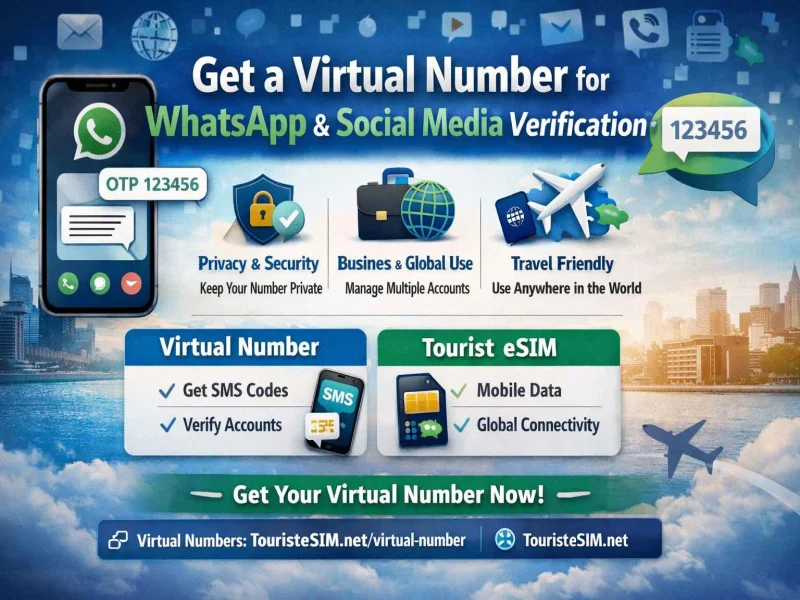
In today’s digital-first world, having a second phone number for WhatsApp and social media verification is no longer optional — it’s a smart privacy and business strategy.
Whether you want to manage multiple accounts, protect your personal number, or run international business communications, a virtual number gives you full flexibility without needing a physical SIM card.
In this guide, you’ll learn what a virtual number is, how it works, and how to use it for WhatsApp, Telegram, Instagram, Facebook, and more.
What Is a Virtual Number?
A virtual number is a phone number that operates over the internet instead of a physical SIM card.
It allows you to:
- Receive SMS OTP verification codes
- Register WhatsApp, Telegram, Facebook, Instagram, Google, and more
- Use international numbers without being physically present
- Manage communication online via cloud-based systems
Unlike traditional SIM cards, virtual numbers are fully digital and can be activated instantly.
Why Use a Virtual Number for WhatsApp & Social Media?
There are many practical reasons to use a virtual number:
1. Privacy Protection
Keep your personal number private when signing up for platforms like:
- Telegram
- X (Twitter)
- Google accounts
This helps reduce spam and protects your identity online.
2. Business & Marketing Use
Virtual numbers are widely used by businesses to:
- Run multiple WhatsApp Business accounts
- Separate customer support and sales teams
- Manage international clients with local numbers
- Scale marketing campaigns safely
3. International Access & Flexibility
With a virtual number, you can:
- Register apps in different countries
- Receive OTPs while traveling
- Avoid expensive roaming charges
- Maintain global presence from anywhere
How to Get a Virtual Number for WhatsApp Verification
Follow these simple steps to activate your virtual number:
Step 1: Choose a Trusted Provider
Always choose a reliable provider that supports SMS verification for WhatsApp and social media platforms.
👉 Get started here:
https://vrnum.com
Step 2: Select Your Country
Choose the country number you need (USA, UK, Canada, etc.) based on:
- Your target audience
- Platform requirements
- Number availability
Step 3: Activate Your Number
Complete the registration and payment process. Once activated, your number is ready for instant use.
Step 4: Verify WhatsApp or Social Media Account
- Open WhatsApp or your selected platform
- Enter your virtual number
- Receive OTP code instantly
- Verify and activate your account
That’s it — your account is ready to use.
Important Things to Know Before Using Virtual Numbers
Before you start, keep these points in mind:
- Some platforms may block low-quality or shared numbers
- Always choose a provider with clean, reliable number reputation
- For long-term use, pick numbers with renewal or stability options
- Avoid free public SMS services — they are unsafe and often reused
Virtual Number vs Physical SIM Card
A virtual number is different from a physical SIM card in several ways:
Virtual Number
- Works online (no SIM required)
- Best for OTP verification and account creation
- Instant activation
- Ideal for multiple accounts
Physical SIM Card
- Requires physical hardware
- Tied to one device
- More suitable for daily mobile communication
Best Use Cases for Virtual Numbers
Virtual numbers are commonly used for:
- WhatsApp Business accounts
- Social media account verification
- Online registrations and OTPs
- Freelancers managing clients
- E-commerce and marketing automation
Final Thoughts
A virtual number is one of the easiest ways to enhance your online privacy and manage multiple digital accounts efficiently.
To get started with a secure and reliable virtual number provider, visit:
👉 https://vrnum.com
Why Choose VRNUM?
- Instant activation
- Global number availability
- Secure OTP reception
- Perfect for WhatsApp & social media verification
- Designed for privacy and business scalability



Comments