





















































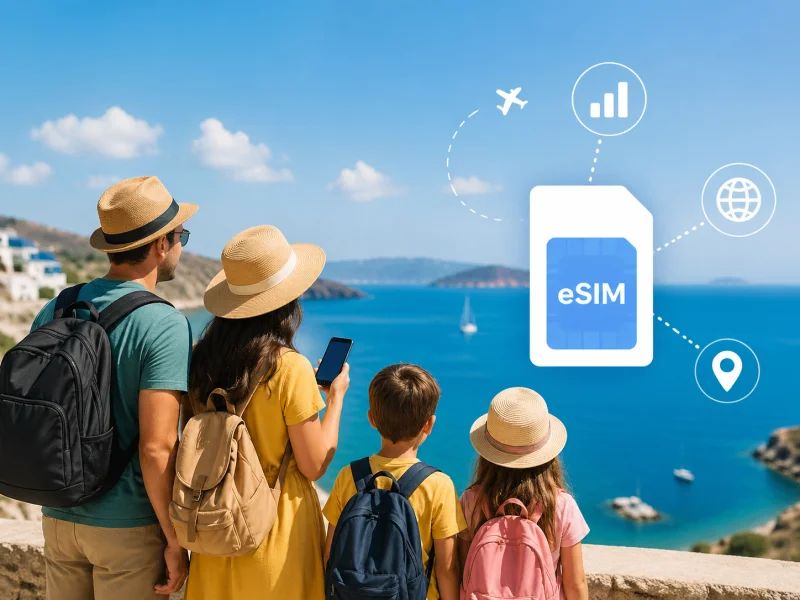
The quick answer: A family of 4 on a 10-day Japan trip pays ~$480 in carrier roaming fees. With Tourist eSIM, the same family pays ~$50–80 total. That's a saving of $400 — enough to pay for two nights at a hotel. This guide shows you exactly how to set it up.
You've planned the trip for months. Flights, hotels, attractions — all booked. Then you land in Tokyo or Barcelona or Bali, and the first thing that goes wrong is the most avoidable: nobody can get online.
One kid can't pull up the offline maps you downloaded. Your teenager has run out of mobile data on day three trying to post Instagram stories. Your partner's phone is burning through the hotel Wi-Fi password. And you're standing outside a restaurant at 7pm with hungry children, trying to find it on Google Maps, on a phone that says "Roaming charges may apply — $12/day."
Family travel connectivity in 2026 doesn't have to work this way. A travel eSIM — set up at home before you fly — means the whole family is online the moment the plane lands. No airport queues. No SIM card swapping. No bill shock. Here's everything you need to know.
🌍 Keep your whole family connected from $1.91 per plan
200+ countries · Hotspot included · Instant QR delivery · Activates on landing
Browse Family Plans →💸 The Real Cost of Family Roaming — The Numbers That Shock People
Most families don't realise how quickly roaming charges multiply when you have 4 or 5 people on different phones. A carrier day pass that seems reasonable for one person becomes a serious expense the moment you add a family.
AT&T and Verizon charge $12 per device per day in most international destinations. Here's what that looks like for a real family trip:
👉 Swipe left on mobile to see all
| Trip scenario | Devices | Days | Roaming cost | Tourist eSIM cost | You save |
|---|---|---|---|---|---|
| 🇯🇵 Japan, family of 4 | 4 | 10 | $480 | ~$50–75 | ~$405 |
| 🌍 Europe, family of 4 | 4 | 14 | $672 | ~$80–120 | ~$550 |
| 🇹🇭 Thailand, family of 5 | 5 | 14 | $840 | ~$75–110 | ~$730 |
| 🇺🇸 USA, UK family of 4 | 4 | 10 | £160–£240 | ~£35–60 | ~£150 |
⚠️ The background data problem: Even when you're not actively using your phone, apps like Instagram, iCloud, WhatsApp, and system updates consume data silently. A family of 4 with all background activity enabled can burn through a significant amount of roaming budget without anyone watching a single video. Always disable background app refresh on each phone before travelling.
📊 How Much Data Does a Family Actually Need?
Families consistently underestimate data usage on holiday. The combination of kids streaming on the go, parents video calling grandparents back home, and everyone running Google Maps simultaneously adds up faster than you'd expect.
👉 Swipe left on mobile to see all
| User type | Per day | Per week | What they're doing | Suggested plan |
|---|---|---|---|---|
| 👨 Parent (light) | 1–2 GB | 7–14 GB | Maps, WhatsApp, email, photos | 10GB / 30 days |
| 👩 Parent (regular) | 2–4 GB | 14–28 GB | Maps, social, video calls home | 20GB / 30 days |
| 👦 Teen (social media) | 3–6 GB | 21–42 GB | TikTok, Instagram, iMessage, Snapchat | 20–30GB / 30 days |
| 👧 Child (games/YouTube) | 2–5 GB | 14–35 GB | YouTube, Netflix, online games, Disney+ | 10–15GB / 30 days |
| 📱 Tablet (hotspot) | 1–3 GB | 7–21 GB | Shared from parent's hotspot | Use hotspot from parent eSIM |
💡 Pro tip: Download Netflix, Spotify, Disney+, and Google Maps content on Wi-Fi at home before you fly. A single Netflix episode downloads in about 200MB on standard quality. Pre-loading 10–15 episodes on each child's device can cut their daily data consumption by 60–70%.
📱 3 Ways to Set Up eSIM for Your Whole Family
There is no single right answer for every family. The best setup depends on your family size, how your kids use data, and which devices you're travelling with. Here are the three main approaches:
Each family member gets their own Tourist eSIM sized to their individual usage. Parents get larger plans (10–20GB), teens get medium plans (10–15GB), younger children get smaller plans (5–10GB). Everyone stays independently connected — no battery drain, no range limits, no single point of failure.
This also means the family can split up — a parent and child doing a museum while the other parent and teen explore a market — without anyone losing connectivity.
|
✓ PROS
|
✗ CONS
|
Example cost — Japan 10 days: 2 parents (10GB each ~$14) + 1 teen (15GB ~$17) + 1 child (5GB ~$8) = ~$53 total vs $480 roaming
One parent buys a large Tourist eSIM plan (e.g., 30–50GB) and uses their phone as a mobile hotspot. Tablets, younger children's phones, and laptops connect via Wi-Fi to that hotspot. This minimises the number of eSIM purchases needed.
The important caveats: The hotspot phone must stay charged at all times (carry a portable battery), and everyone must remain within 10–15 metres of the hotspot phone. This is realistic for theme parks and sightseeing days, but can be awkward if the family splits up.
|
✓ PROS
|
✗ CONS
|
Both parents get their own Tourist eSIM. Children's tablets and younger kids' phones connect to a parent's hotspot when needed. Teenagers can get their own smaller eSIM plan. This is the most balanced approach for families of 4–5 with mixed ages.
Example cost — Europe 14 days: 2 parents (20GB each ~$22) + 1 teen (10GB ~$14) + Tablets via hotspot = ~$58 total vs $672 roaming
🏦 The Banking Problem Nobody Warns You About
This is the most important section of this guide for any parent travelling with a family. Read it before you do anything else.
Many families assume they should buy a local SIM card at the airport because it's "the cheapest option." The price might be slightly lower — but what nobody mentions is what happens to your banking access.
🚨 The local SIM trap: you lose banking access abroad
When you buy a local SIM card, you remove your home SIM from your phone. Your home phone number goes offline. Your bank's SMS verification codes — the ones that prove it's really you when you log into mobile banking or transfer money — now go to a number that is no longer in your phone.
This has locked people out of their banking apps at exactly the worst moment: when they need to pay for a hotel, access emergency funds, or transfer money to family. It can take days to resolve with your bank from abroad.
✅ How eSIM solves this completely
A Tourist eSIM runs alongside your home SIM — not instead of it. Your home phone number stays active. Your bank's 2FA texts go to your usual number as normal. You can log into banking apps, receive verification codes, and transfer money without any issues. This is the dual SIM advantage that a local SIM card can never offer.
📋 Does Every Family Member's Device Support eSIM?
Before buying eSIMs for everyone, check each device. Here's the quick reference for the most common family devices:
👉 Swipe left on mobile to see all
| Device | eSIM supported? | Notes |
|---|---|---|
| iPhone XS, XR (2018) | ✓ Yes | First iPhones with eSIM. Must be carrier-unlocked. |
| iPhone 11, 12, 13, 14, 15, 16, 17 | ✓ Yes | All models. iPhone 14+ in USA are eSIM-only (no physical SIM tray). |
| Samsung Galaxy S20, S21, S22, S23, S24, S25, S26 | ✓ Yes | All flagship S-series from S20 onwards. Must be unlocked. |
| Google Pixel 3, 4, 5, 6, 7, 8, 9 | ✓ Yes | All Pixel models from Pixel 3 (2018) onwards. |
| iPad Pro (3rd gen+), iPad Air (3rd gen+), iPad mini (5th gen+) | ✓ Yes | Cellular models only. Wi-Fi-only iPads do not support eSIM. |
| Samsung Galaxy A52, A53, A54, A55 | ⚠️ Varies | eSIM support varies by region. Check before purchasing. |
| Older Android phones (pre-2019) | ✗ Likely not | Use hotspot from a parent's eSIM-enabled phone instead. |
How to check eSIM compatibility in 30 seconds:
iPhone: Settings → General → About → scroll down. If you see an EID number, eSIM is supported. | Android: Settings → About Phone → look for EID. Alternatively, dial *#06# on the phone — if an EID appears, it supports eSIM. Check our full compatibility list at touristesim.net/esim-compatible-phones
🏆 Why Tourist eSIM Is the Best Choice for Families
Every major eSIM competitor — Airalo, Holafly, Nomad, Saily — is designed primarily for solo travellers or digital nomads. Tourist eSIM is built specifically for tourists, which makes a meaningful difference for families.
| 💰 From $1.91 per plan Buy individual plans for each family member — right-sized to each person's usage. No paying for data nobody uses. |
| 📞 Voice + SMS plans The only eSIM provider that offers Data+Voice+SMS plans — parents can receive real phone calls abroad, not just use WhatsApp. Critical when kids need to call Mum or Dad. |
| 📲 Hotspot on most plans Share one parent's Tourist eSIM to tablets and other devices via hotspot. Check individual plan details for confirmation. |
| 🌐 200+ countries covered Whether you're in Japan, Thailand, the USA, Europe, or the UAE — one provider for every family trip. Regional plans cover multiple countries on one eSIM. |
| 🌍 17 languages Support in 17 languages means grandparents and non-English-speaking family members can get help too. |
| 💬 24/7 WhatsApp support If something goes wrong at midnight before an early morning flight, Tourist eSIM's WhatsApp support is there. With a family in tow, this peace of mind matters. |
⚙️ How to Set Up Tourist eSIM for Your Whole Family — Step by Step
Do this at home, ideally a day or two before you fly. You'll need a stable Wi-Fi connection for each device.
Go through each family member's phone using the check above (Settings → About → look for EID). Make a note of which phones are compatible and which are not. Non-compatible devices will need to use a parent's hotspot.
Go to touristesim.net/coverage, select your destination or a regional plan, choose the right data size for each person, and checkout. Each purchase delivers a separate QR code by email within seconds. Use the data table above to choose the right size for each family member.
iPhone: Settings → Mobile Data → Add eSIM → Use QR Code → scan the QR code from the email. Takes about 60 seconds.
Android (Samsung/Pixel): Settings → Connections → SIM Manager → Add eSIM → scan the QR code. Also about 60 seconds.
After installing, rename each eSIM in phone settings to something clear — "Japan Tourist eSIM", "Europe Data", etc. This makes it obvious which line is your home SIM and which is the travel eSIM. Set the Tourist eSIM as the default data line, and keep Data Roaming OFF on the home SIM line.
When the plane lands, turn off airplane mode. Each family member's Tourist eSIM connects to the local network automatically. No queues, no kiosks, no SIM swapping. Maps are working before you reach passport control.
✅ Family Pre-Departure eSIM Checklist
Print or screenshot this checklist and run through it with every phone 24 hours before you fly:
- Check eSIM compatibility on every family phone
- Check every phone is carrier-unlocked (call your network if unsure)
- Buy Tourist eSIM plans for each compatible device
- Download offline Google Maps for your destination on every phone
- Pre-load Netflix, Disney+, Spotify downloads on kids' devices
- Install Tourist eSIM QR code on every phone (requires home Wi-Fi)
- Label each eSIM clearly in phone settings
- Set Tourist eSIM as the default data line
- Turn Data Roaming OFF on home SIM line
- Turn Data Roaming ON on Tourist eSIM line
- Check hotspot settings if using one phone to share data
- Pack portable battery chargers (critical if using hotspot)
- Turn off airplane mode on every phone
- Confirm Tourist eSIM is connected (check signal bar)
- Open Google Maps and confirm navigation works
- Send a quick WhatsApp to family back home (tests connection)
- Enjoy your holiday — you're all connected
👧 Smart Data Tips for Kids and Teens Abroad
Children and teenagers are the biggest data consumers in any family trip. A few simple settings and habits can dramatically reduce how much data they use without spoiling their holiday.
|
👦 For Younger Children
|
👱 For Teenagers
|
⚠️ The biggest data drain on holiday: Auto-playing videos on TikTok and Instagram can consume 1–2GB per hour even at standard quality. One afternoon of unmonitored TikTok browsing can eat through a teen's entire plan. Set TikTok to "Data Saver" mode in the app settings before the trip.
🗺️ Top Family Destinations — eSIM Setup Guide
Japan has excellent mobile coverage even on trains and in rural areas. Universal Studios Japan and Tokyo Disneyland both have reliable in-park connectivity. Local SIM cards in Japan are data-only (no voice), so Tourist eSIM wins on voice too.
Recommended plan per person: 10GB / 30 days for parents · 15GB / 30 days for teens | Get Japan eSIM →
Thailand is a top family destination. Coverage is strong in Bangkok, Chiang Mai, and Phuket town. More remote islands can have spotty coverage on any provider. If you're island-hopping, expect some gaps — download offline maps before leaving the mainland.
Recommended plan per person: 10GB / 30 days for parents · 10–15GB for teens | Get Thailand eSIM →
EU families: If you live in the EU, your home SIM covers all 27 EU member states for free under "Roam Like at Home." You may not need Tourist eSIM for European trips. Non-EU visitors (UK post-Brexit, USA, Canada, Australia): Carrier roaming in Europe is expensive. Tourist eSIM's Europe regional plan covers 30+ countries on one eSIM — the whole family switches countries without changing anything.
Recommended plan per person: 15–20GB regional plan per person | Get Europe eSIM →
US roaming is the most expensive destination for international families — EE UK customers pay £5.99/day outside Europe, and most European carriers charge per MB at extreme rates. Tourist eSIM USA plans start from $2.04 and cover T-Mobile and AT&T networks across all 50 states. Coverage at Disney World, Universal Studios, and national parks is reliable on both networks.
Recommended plan per person: 10GB / 30 days for parents · 15–20GB for teens | Get USA eSIM →
🎯 Quick Verdict — Which Option for Which Family?
👉 Swipe left on mobile to see all
| Your family situation | Best choice | Why |
|---|---|---|
| Trip of 3+ days, any destination | 🏆 Tourist eSIM | 80–90% cheaper than roaming, instant setup |
| Family needs calls, not just data | 🏆 Tourist eSIM DVS | Only provider with Data+Voice+SMS plans |
| EU family travelling within EU | Home SIM (free) | Roam Like at Home covers all 27 EU states |
| Multi-country trip (e.g. Japan + Korea) | 🏆 Tourist eSIM regional | One eSIM auto-switches across countries |
| Tablets or non-eSIM kids' devices | Hotspot from Tourist eSIM | Share one parent's plan to non-eSIM devices |
| Long-stay family (1 month+ in one country) | Local SIM | Cheapest per GB for extended single-country stays |
🌍 Keep Your Whole Family Connected — From $1.91
200+ countries · Data+Voice+SMS plans · Instant QR delivery · 24/7 WhatsApp support · 500,000+ travellers connected
Browse Family Plans →Popular destinations: Japan · Thailand · USA · Europe · Asia Regional
❓ Frequently Asked Questions
What is the best eSIM for family travel in 2026?
Tourist eSIM is the best choice for most families in 2026. It starts from $1.91 per plan, supports hotspot tethering, covers 200+ countries, and is the only travel eSIM provider that offers Data+Voice+SMS plans — meaning parents can receive real phone calls abroad, not just data. 24/7 WhatsApp support is an added peace of mind for families travelling with children.
Can I share one eSIM with my whole family?
Yes, via mobile hotspot. One parent's Tourist eSIM can share its data connection to up to 8–10 devices via Wi-Fi hotspot. However, this drains the hotspot phone's battery quickly (usually 3–4 hours), and everyone must stay near that phone. For best results, get individual eSIMs for each person's smartphone and use hotspot only for tablets.
How much does an eSIM cost for a family of 4?
With Tourist eSIM, a typical family of 4 can expect to pay $50–120 total for a 10–14 day trip depending on destination and data needs. Compare that to AT&T or Verizon roaming at $12 per device per day — which for the same family trip would cost $480–$672. The savings comfortably cover two or three nights of accommodation.
Does an iPad support eSIM?
Yes — iPad Pro (3rd generation and later), iPad Air (3rd generation and later), and iPad mini (5th generation and later) all support eSIM, but only the cellular models — not Wi-Fi only. A Wi-Fi-only iPad cannot use an eSIM directly but can connect via a parent's hotspot.
Will my bank's verification texts still work with an eSIM?
Yes — this is one of the biggest advantages of eSIM over a local SIM. With Tourist eSIM, your home SIM stays in your phone. Your home number stays active. Bank 2FA texts, WhatsApp, and iMessage all work as normal on your home number. A local SIM card removes your home SIM, which can lock you out of banking apps that send verification codes to your home number.
Do parental controls still work on an eSIM connection?
Yes. Apple Screen Time (iOS) and Google Family Link (Android) function identically whether a child is using a home SIM, an eSIM, or Wi-Fi. Set content restrictions, app limits, and screen time schedules before the trip — they carry over automatically to any internet connection including Tourist eSIM.




Comments